








You're in a meeting, someone mentions a Gmail or Gemini feature, everyone nods... then it's back to normal. A few hours later, you're looking for how to do “the right manipulation” in your business context. You open Drive, you come across three similar documents, an old procedure, an unfindable webinar replay. You waste time, you hesitate, and often you end up doing “more or less”.
This is exactly the kind of friction that slows down adoption. Teams already have licenses, often already content, sometimes even internal champions. What is most lacking is a simple and reliable point of reference, in the right place, at the right time.

A single place to bring together what really matters
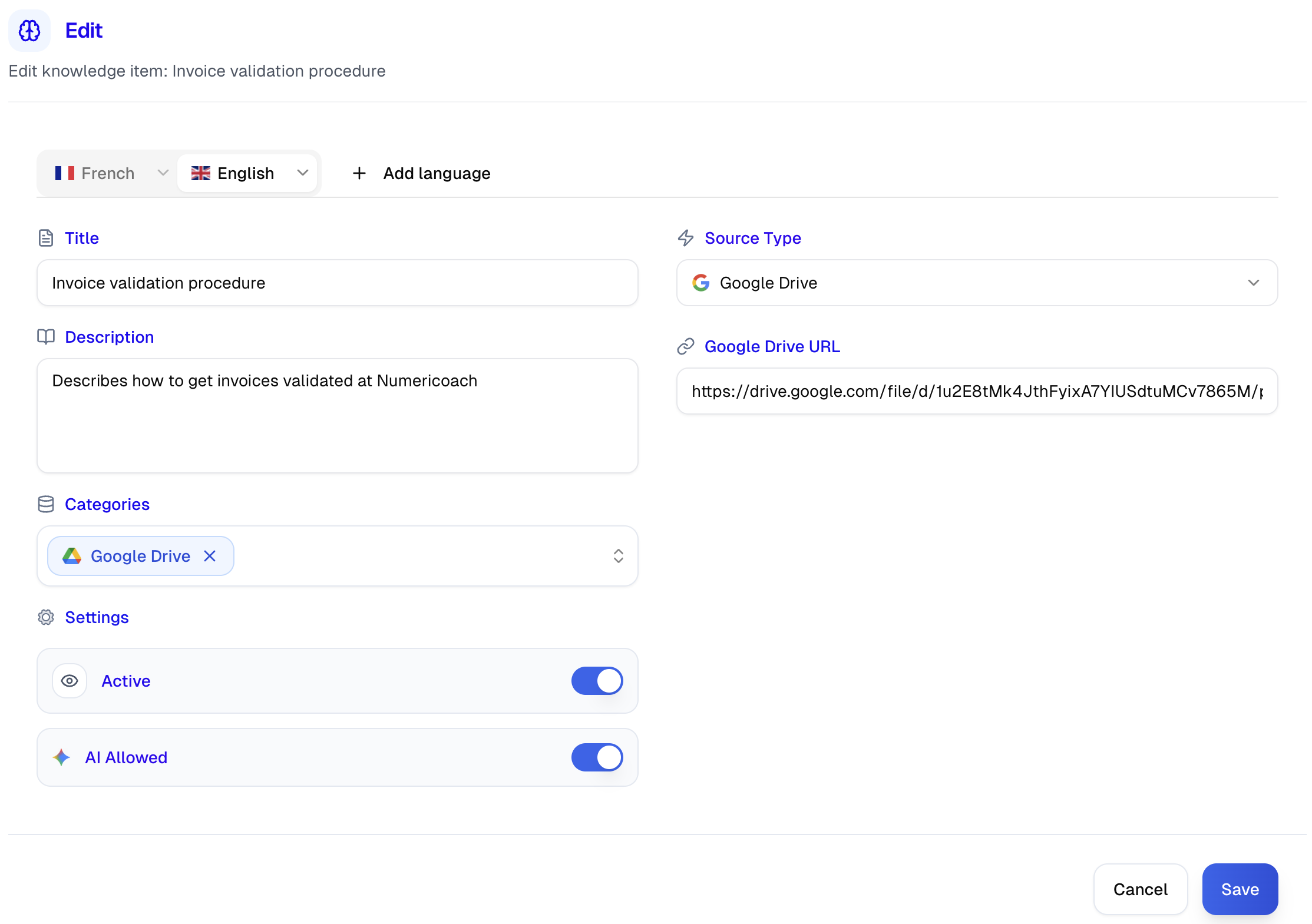
In GSkills, the knowledge base is used to centralize short and actionable resources, designed for everyday life. There are written tutorials, video capsules, replays, but also links to existing documents in your environment, for example Google Docs or internal Drive folders.
The idea is not to impose a new way of working, nor to replace your resources. On the contrary, the knowledge base is there to make these resources usable. It organizes them, makes them easy to find, and puts them in the natural flow of GSkills, in the same place as your skills development content.

By default, Numericoach resources. And above all, yours
When you activate GSkills, you already benefit from a base of Numericoach resources: ready-to-use educational content, designed to support the adoption of Google Workspace, Gemini and ChromeOS as you use them.
But the real strength comes when you add your context. A Finance procedure on Google Sheets, a Drive naming rule, an internal guide for organizing a shared box, an HR memo, a report template, a “home-made” tutorial that answers recurring questions. With a few targeted additions, your knowledge base becomes a common reference point, aligned with your methods and your vocabulary, without transforming GSkills into a “technical” tool.
The icing on the cake: the AI assistant uses it to guide better
The knowledge base is not just a “catalog” to browse. It also powers the GSkills AI assistant, which can draw on these resources to respond more usefully and reliably in your context.
Specifically, instead of a generic response, the assistant can direct you to the right tutorial, suggest a relevant video capsule directly in the conversation, or refer you to an internal Google Doc that explains “how we do it here”. Result: fewer round trips, less “I think so”, more guided practice. And above all, adoption that is built in real life, where the questions arrive.

What it changes for adoption, simply
When resources are scattered, skills development depends on memory, habits, and chance. When they are grouped together, easy to find, and reused at the right time, adoption becomes more natural. Employees save time, dare to test more, and gain confidence. On the business side, you reduce friction, avoid content duplication, and provide a framework that helps disseminate consistent practices, without “magic promises”.
Access and implementation
If you are already a GSkills customer in the Premium or Platinium offer, you will find the knowledge base directly in your instance, in the Resources section, then Knowledge base.
If you are not yet a customer, the implementation is simple: we start from the Numericoach base, then we gradually add your most useful internal resources, often those that answer recurring questions or that describe your ways of doing things. You thus obtain an immediately usable knowledge base, and an AI assistant capable of referring to it to guide your teams on a daily basis.