

Deploying Chromebooks in an organization is rarely the real subject. The real issue starts after: do employees really use them, do they understand their environment, and do they exploit anything other than the bare minimum.
That's exactly where GSkills comes in.
On GSkills, the Chromebook is not treated as a simple IT equipment, but as a full-fledged work environment, with its uses, reflexes and specificities. The objective is not to train, but to support a progressive and measurable skills development.
In this article, we delve into what GSkills already allows today for Chromebook adoption.
Track Chromebook adoption, not just deployment
In many organizations, Chromebook tracking is limited to a technical vision: enrolled, active, disabled devices.
This is necessary, but very insufficient to understand what is really happening on the user side.
With GSkills, Chromebook adoption becomes readable and usable.
What GSkills allows you to track
- The actual presence of Chromebooks in the work environment.
- Their distribution by organizational unit, team or population.
- The evolution of adoption over time, and not only at D+0 after deployment.
- The link between access to GSkills content and progress of uses.
We are not content with knowing that Chromebooks exist.
We're starting to see how they're being handled.

Discover your Chromebook through practice
A Chromebook is often perceived as “simple”. In reality, it incorporates a huge number of features that users never discover on their own.
GSkills was designed to break this logic.
A guided and contextualized discovery
On GSkills, users access Chromebook-dedicated content that allows them to:
- Understand the ChromeOS environment.
- Discover key gestures, shortcuts and best practices.
- Explore concrete features, directly related to their daily lives.
The approach is never theoretical. Each page is designed to answer a simple question: “What is it for me, concretely, in my work?”

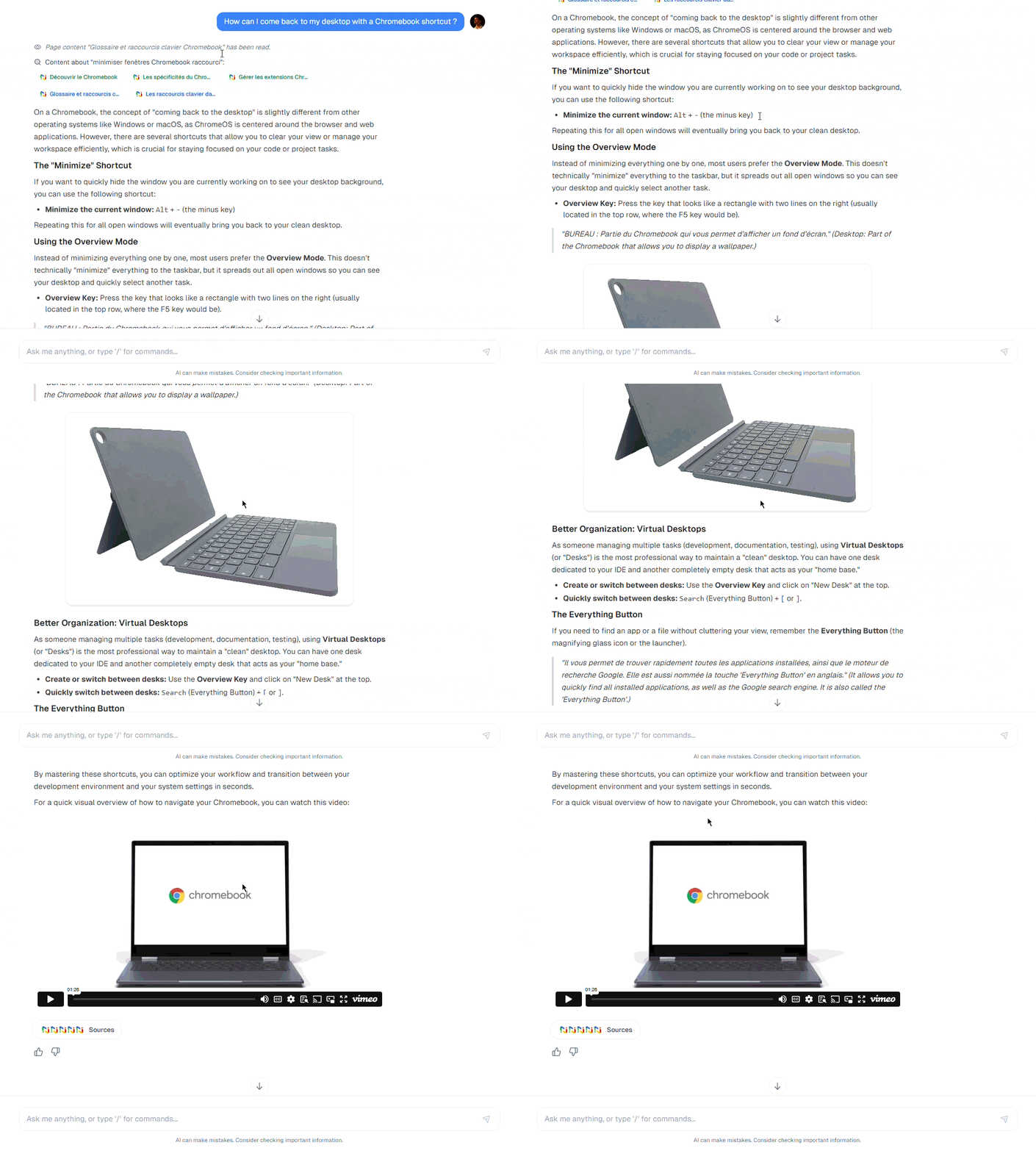
A dedicated assistant to support Chromebook usage
Because a user doesn't always learn at the right time, GSkills offers a Chromebook-dedicated assistant.
This assistant allows you to:
- Ask simple or advanced questions about ChromeOS.
- Understand how to perform a specific action on your Chromebook.
- Be guided by GSkills educational content, not generic answers.
The difference is major: the assistant does not answer “in general”, it relies on the validated and structured content of the platform.
Centralize dozens of resources for a real hands-on experience
Adoption never relies on a single piece of content.
It relies on repetition, the diversity of formats, and the ability to find information at the right time.
What users find on GSkills
For the Chromebook, GSkills provides:
- Short and actionable text resources.
- Hands-on videos.
- Targeted capsules on specific uses.
- Reminders of good practices often forgotten.
Everything is centralized in a single space, accessible without searching through emails, Drives or internal PDFs.
Chromebook adoption designed for the long term
The real risk with a Chromebook is not deployment failure. It's minimalist usage in the long term.
GSkills is designed to avoid this pitfall:
- By supporting users from their first steps.
- By making them want to go further.
- By allowing IT, HR or training teams to visualize real adoption, not just declarative.
The Chromebook then becomes what it should always be: a work tool that is understood, mastered and integrated into daily use.
Go further with GSkills and Chromebook
If you want a more global overview of the GSkills approach around Chromebooks, a dedicated page presents the benefits, use cases and adoption logic: